Chrome extension for YouTube embed storage bloat
Stop YouTube embeds from filling Chrome storage.
StorLite blocks auto-loading YouTube embeds, shows a lightweight placeholder, and lets you open videos only when you choose. Chrome documents that third-party storage is partitioned by top-level site, which explains why one embedded service can appear separately under many sites.Source: Chrome Storage Partitioning
StorLite is available on the Chrome Web Store. Donations support the project and include GitHub access after we send the request link to your email.Donation checkout is powered by Dodo Payments.
Proof the problem exists
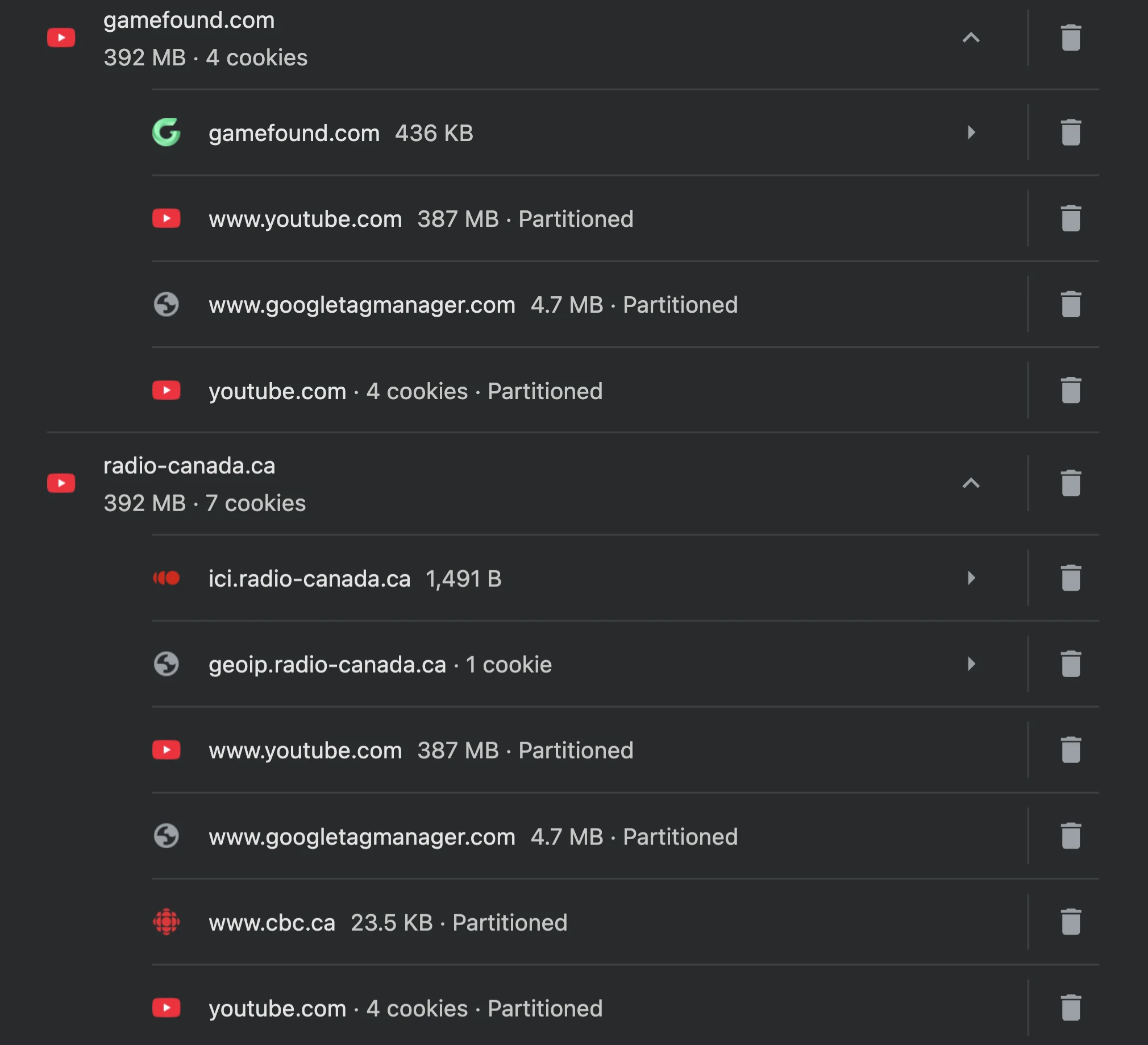
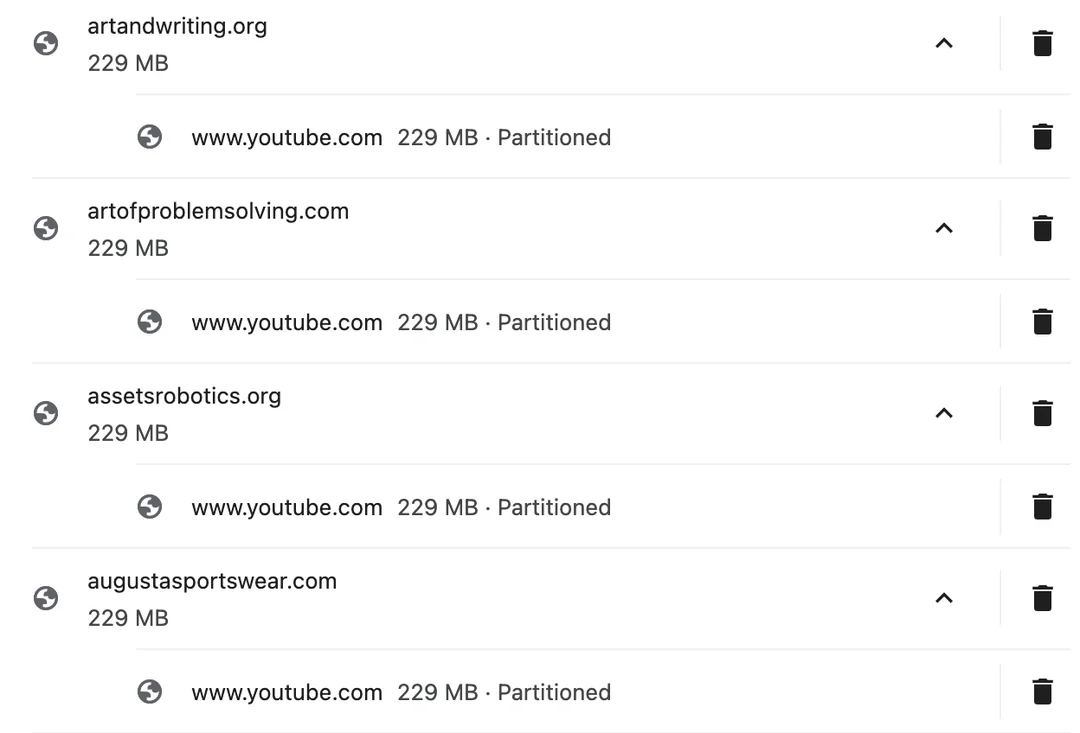
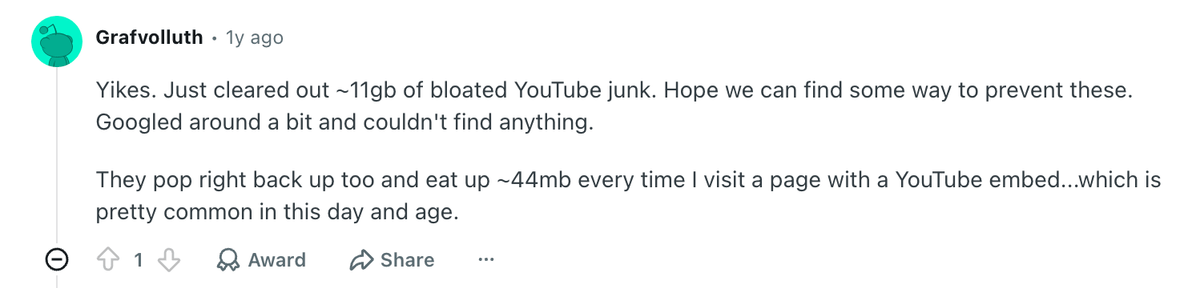
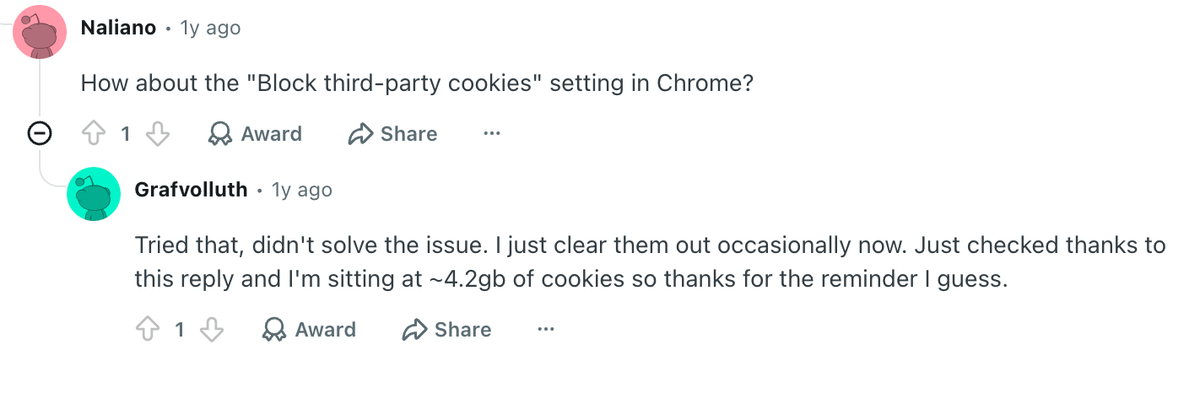
Users are finding YouTube partitioned data repeated across unrelated sites.
The screenshots and Reddit reports show Chrome's site data view listing YouTube partitioned storage under many different websites. The Google Issue Tracker thread below is the canonical place to follow Chrome-side discussion about the behavior.Source: Google Issue 378666647
What causes it?
Partitioning is a browser privacy feature. The bloat is the side effect users notice.
Chrome says storage partitioning isolates storage and communication APIs in third-party contexts to fight cross-site tracking. CHIPS similarly lets developers opt cookies into a separate cookie jar per top-level site. That means an embedded YouTube player can have separate storage for each site where it appears.
User reports
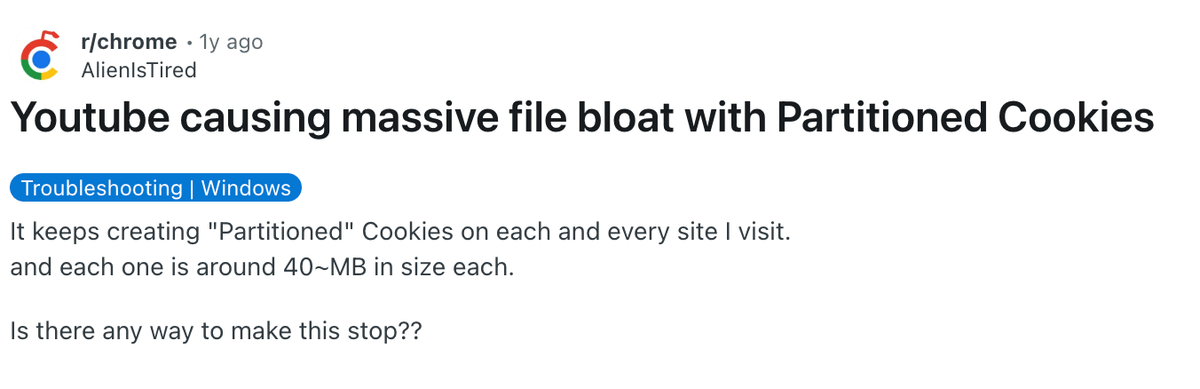
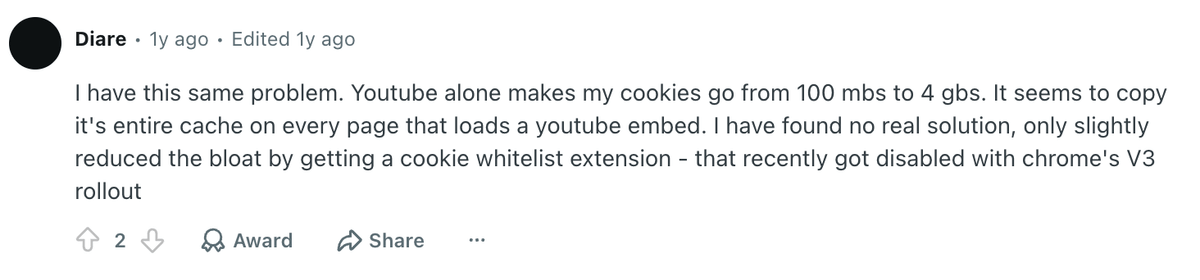
The same pattern keeps showing up in Chrome storage screenshots.
A quick pass through user screenshots makes the problem easier to recognize than a settings explanation ever could.




Chrome session visualizer
Your Chrome session can touch hundreds of sites in a day.
Here is a normal browsing session: tabs keep opening, pages include YouTube embeds, and Chrome creates separate partitioned storage for each top-level site. Toggle StorLite on to see the same session when those embeds stay as lightweight placeholders until you choose to load them.
Tabs loading
Hundreds of sites per day
gamefound.com
Campaign update
radio-canada.ca
Embedded interview
news.example
Explainer clip
forum.example
Community replay
docs.example
Help article embed
Storage impact
YouTube partitioned storage grows with each tab
0 MB
gamefound.com
youtube.com partitioned storage
Campaign update
42 MB
radio-canada.ca
youtube.com partitioned storage
Embedded interview
46 MB
news.example
youtube.com partitioned storage
Explainer clip
43 MB
forum.example
youtube.com partitioned storage
Community replay
53 MB
docs.example
youtube.com partitioned storage
Help article embed
57 MB
Storage growth
One embed, isolated by top-level site
0%
How StorLite works
It blocks the embed before the player gets a chance to sprawl.
Detect YouTube embeds
StorLite looks for standard YouTube and youtube-nocookie embed iframes on the pages you visit.
Block the automatic player load
Instead of letting every embed load in the background, StorLite replaces it with a lightweight placeholder.
Play only when you choose
Open the video in Chrome's side panel, or use View here when you intentionally want the normal embedded player.
Does StorLite delete my existing cookies?
No. StorLite does not clear Chrome site data or log you out. It reduces future automatic YouTube embed loads; existing storage still needs to be cleared manually in Chrome if you want it gone.
Why does Chrome partition this storage instead of simply blocking it?
Chrome's documented goal is to isolate third-party storage by top-level site to reduce cross-site tracking while keeping embedded services working. StorLite works at the embed layer so you can avoid unnecessary player loads without asking Chrome to change that browser-wide privacy model.
Will YouTube still work?
Yes. StorLite changes when the embedded player loads. You can still open a selected video in the side panel or allow the embed on the current page.
Support StorLite
Use the extension freely. Donate if you want to back the work.
StorLite does not collect analytics or send browsing data to the developer. It processes embeds locally and stores only the most recently selected side-panel video URL in Chrome extension storage. Donors also receive GitHub access: donate, watch your email for the request link, then request access from GitHub.Source: StorLite privacy policy
Donate through Dodo Payments.
We email you the GitHub request link.
Request access and we approve donor accounts.